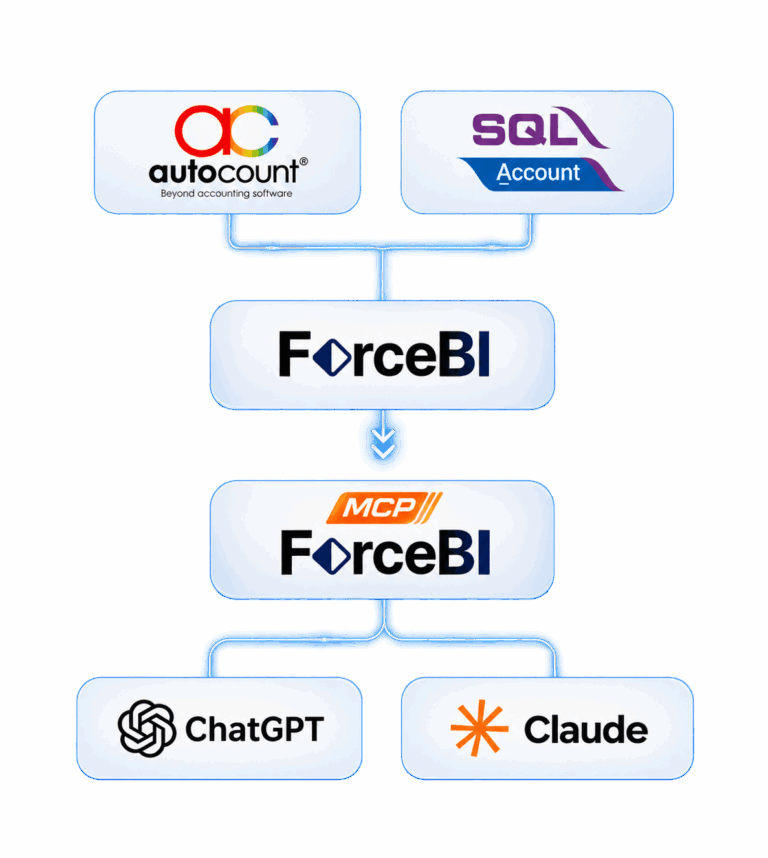
1. Seamless Integration – Connect accounting and ERP systems.
2. Data Cleaning – Clean and standardise data for reliable analysis.
3. AI Insights – Real-time reporting with secure, role-based access.
🚫 It is read-only.
> It cannot create, change, approve, delete, export or send data. Make changes in ForceBI.
🚫 It does not give contact data.
> Phone numbers, e-mail addresses, addresses and IC numbers of customers are blocked for every user.
🚫 It shows only what your role allows.
> A salesperson sees their own figures. A purchaser sees purchasing data. The same permissions as in
*ForceBI apply, and a change in ForceBI applies to the next question.

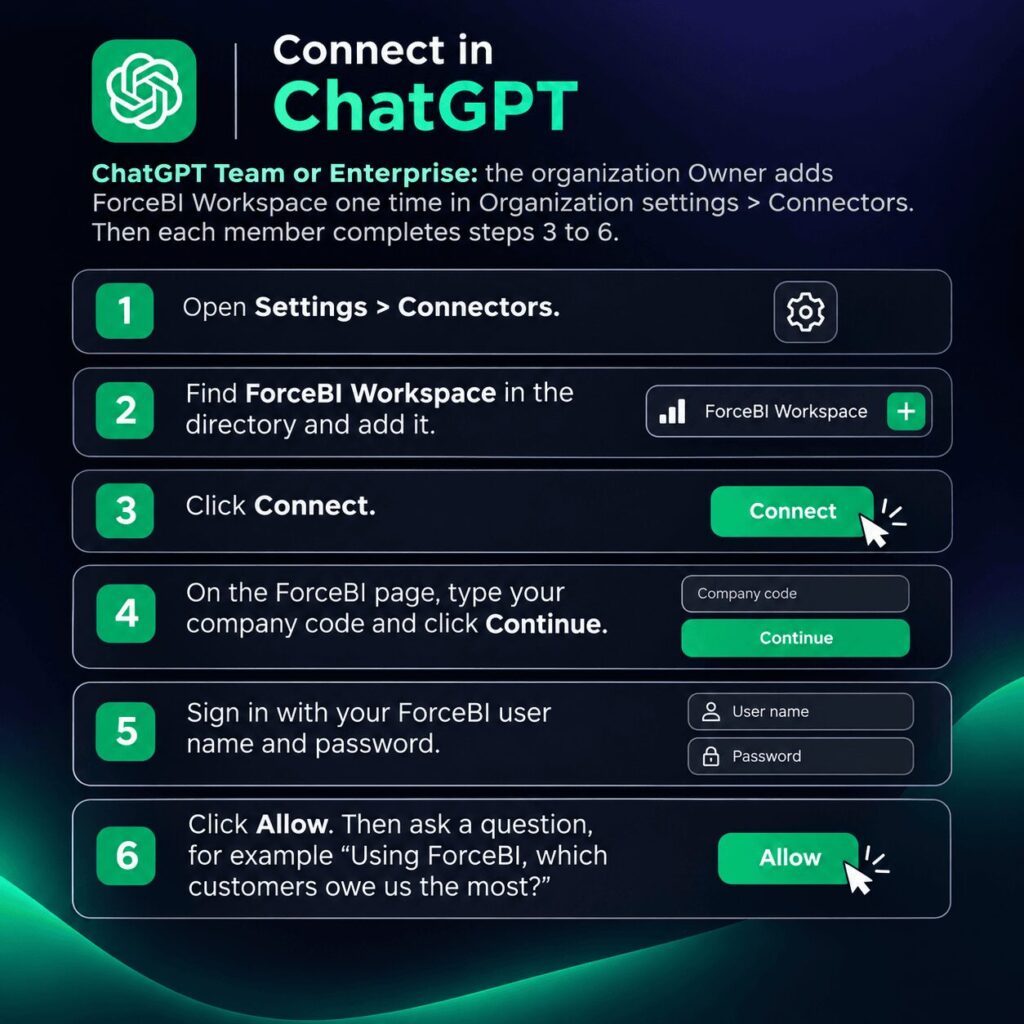
ChatGPT Team or Enterprise: the organization Owner adds ForceBI Workspace one time in Organization settings > Connectors. Then each member completes steps 3 to 6.
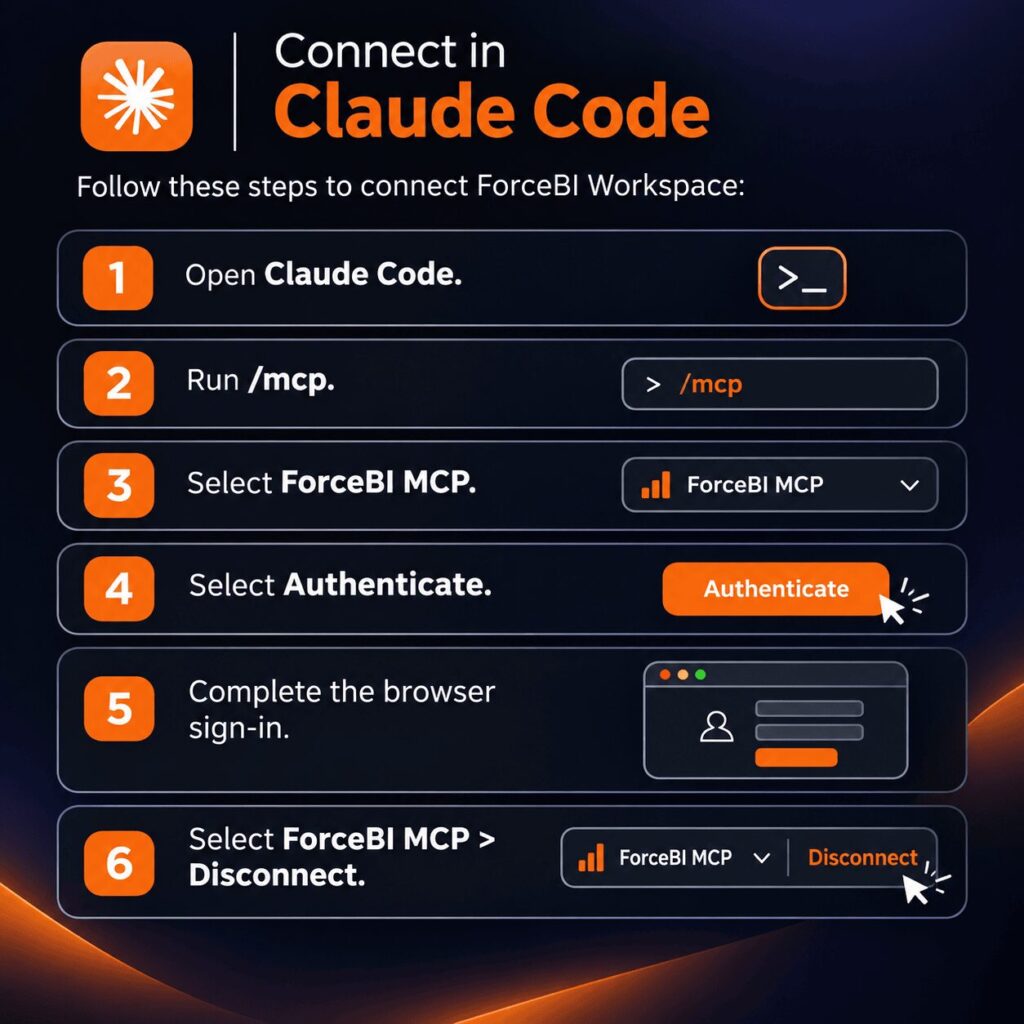
Claude Team or Enterprise: the organization Owner adds ForceBI Workspace one time in Organization settings > Connectors. Then each member does steps 3 to 6.

Select ForceBI MCP & click disconnect. For company-wide disconnection, a ForceBI admin can revoke access under AI Agents > Agreement.
No. You type your password on a ForceBI page, not in the assistant.
ForceBI Workspace is read-only, and it shows only the data that your role allows. Ask your ForceBI administrator about your permissions.
Check the dates in the answer. The assistant states the exact period that ForceBI returned. Collection figures are an AR reconciliation (receivable at the start, plus net credit sales, minus receivable at the end), not cash receipts.
See our privacy policy: https://www.forcetechai.com/privacy/